Any room, any plan
Click Share in any call and choose a whole screen, a window or a browser tab. It is included on every plan, including Free.
Share a screen or window in any room for reviews, pairing and demos. On the Team plan a teammate can take control of your computer, with your say-so, to fix it together.
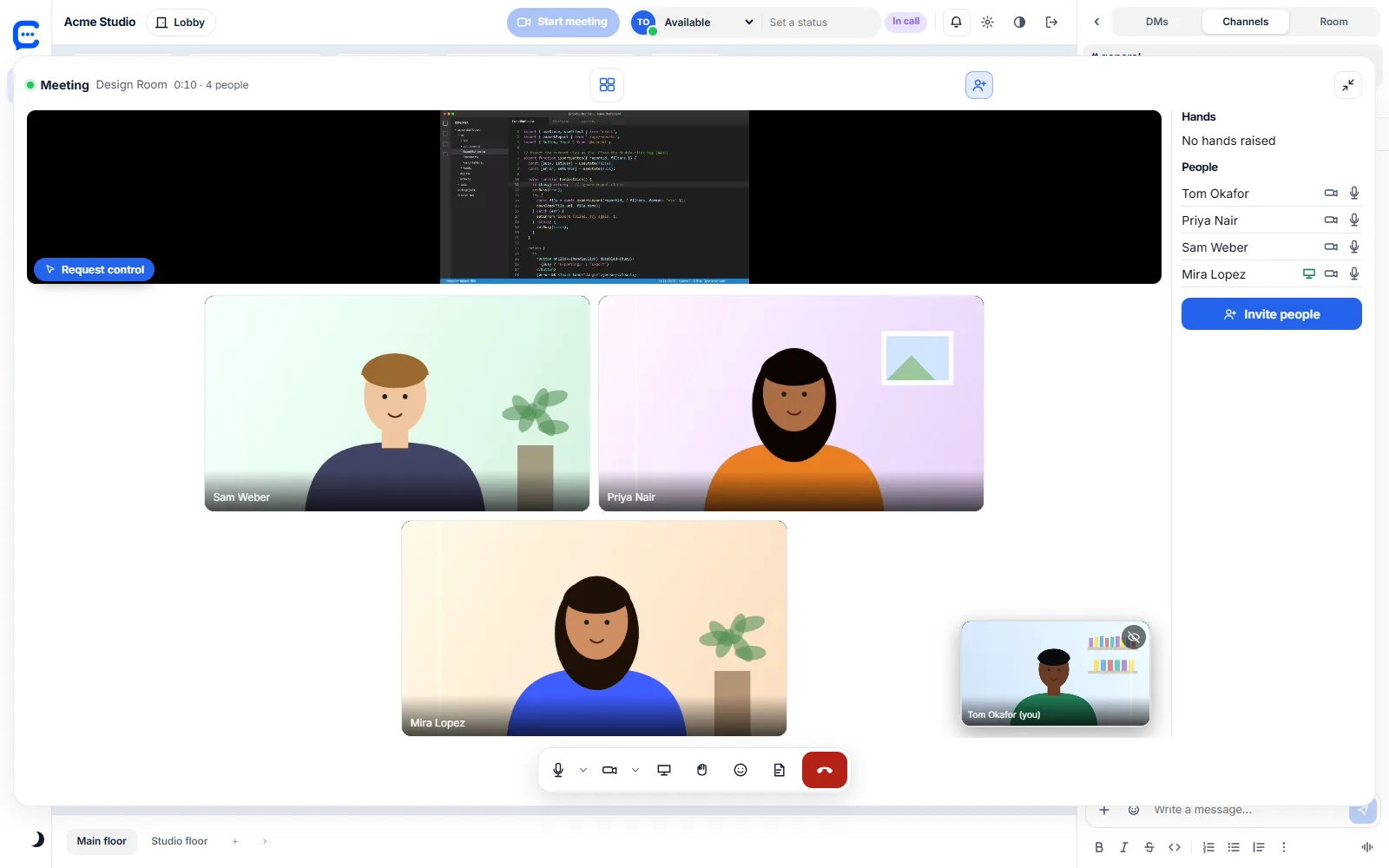
Click Share in any call and choose a whole screen, a window or a browser tab. It is included on every plan, including Free.
Everyone in the room watches your share next to the people tiles, on the web, in the desktop app or on a phone.
Share from the browser or the Windows app. The iPhone app can share the phone screen into a call.
Remote control works when the screen is shared from the Collabiro Windows app, because only a desktop app can move the mouse and press keys. Viewers can be on the web or in the app.
Anyone in the call from your company sees Request control on a shared screen. Guests never do.
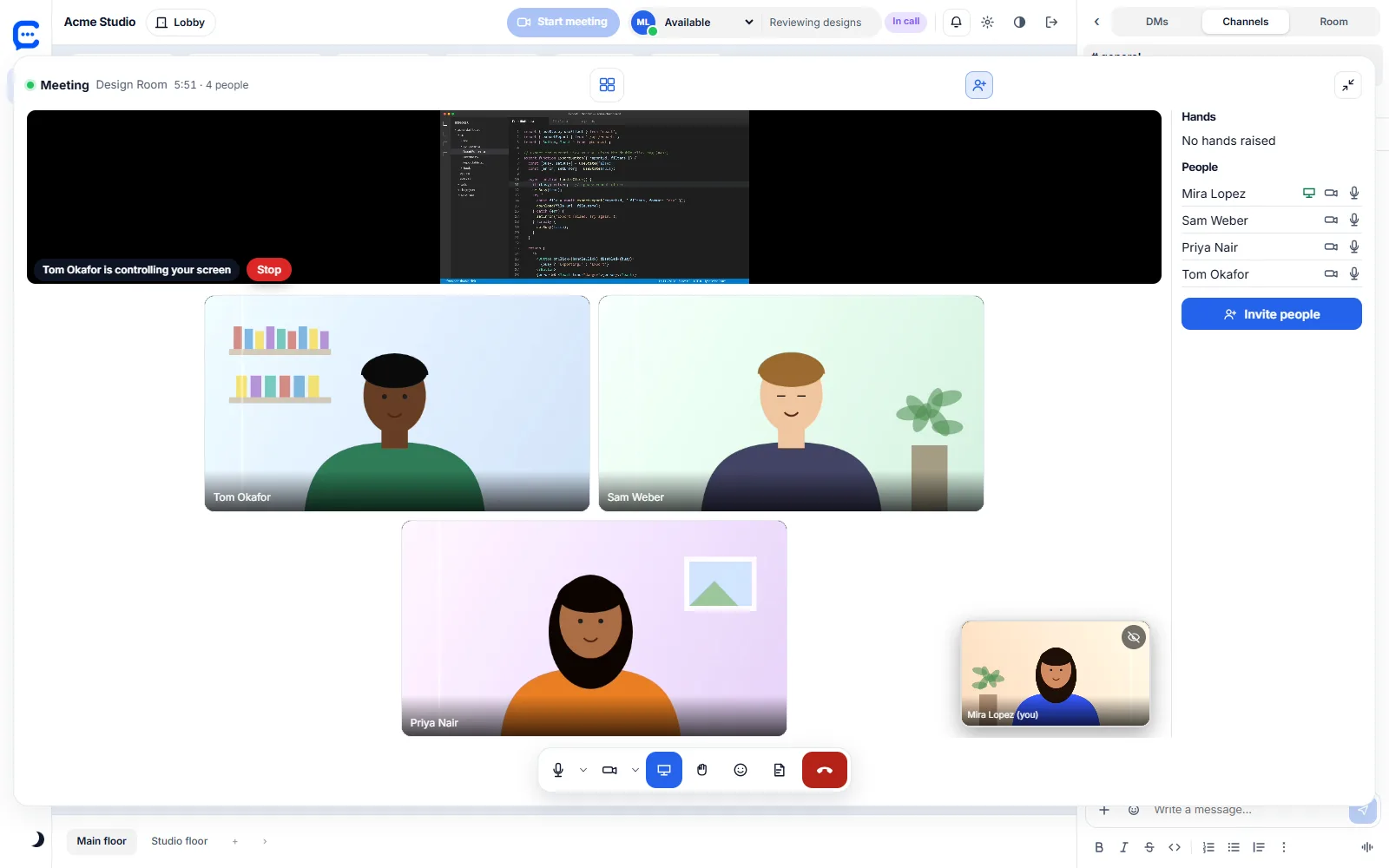
A prompt on the sharing computer says who is asking. Nothing happens until the sharer clicks Allow.
A bar on the shared screen says who is in control and has a red Stop button.
Press Esc twice, press Stop, stop the share or leave the call. Using your own mouse or keyboard pauses theirs for a moment.
The controller moves, clicks, scrolls and types on the shared screen or window.
Remote control is part of the Team plan and up, with nothing to install on the viewer's side.
Support a teammate, pair on a bug or walk someone through a form without a second tool. When you are done, stop control and keep talking in the same room.
Join a room and choose Share. Pick a screen, window or tab.
A teammate selects Request control. You see their name in a prompt.
Allow it and they can use your mouse and keyboard. Press Esc twice or Stop to end it at any time.
| Free $0 | Starter $3 | Team $5 | Business $10 | |
|---|---|---|---|---|
| Screen share in rooms and calls | ✓ | ✓ | ✓ | ✓ |
| People in one call | 10 | 25 | 50 | 150 |
| Remote control of shared screens | – | – | ✓ | ✓ |
| Collabiro | TeamViewer, AnyDesk | |
|---|---|---|
| Screen share in the meeting | Same app as the call | Separate session or app |
| Control the sharer's computer | Yes, after they click Allow | Yes |
| Unattended access to a computer nobody is sitting at | Not available | Available |
| Host on Mac or Linux | Not available. The sharer must use the Windows app | Available |
| File transfer and remote printing | Not available | Available |
Collabiro remote control is built for helping a teammate in a call, not for managing computers. Check each vendor for its current features.
Screen share is free. Remote control comes with the Team plan.