Pick a time
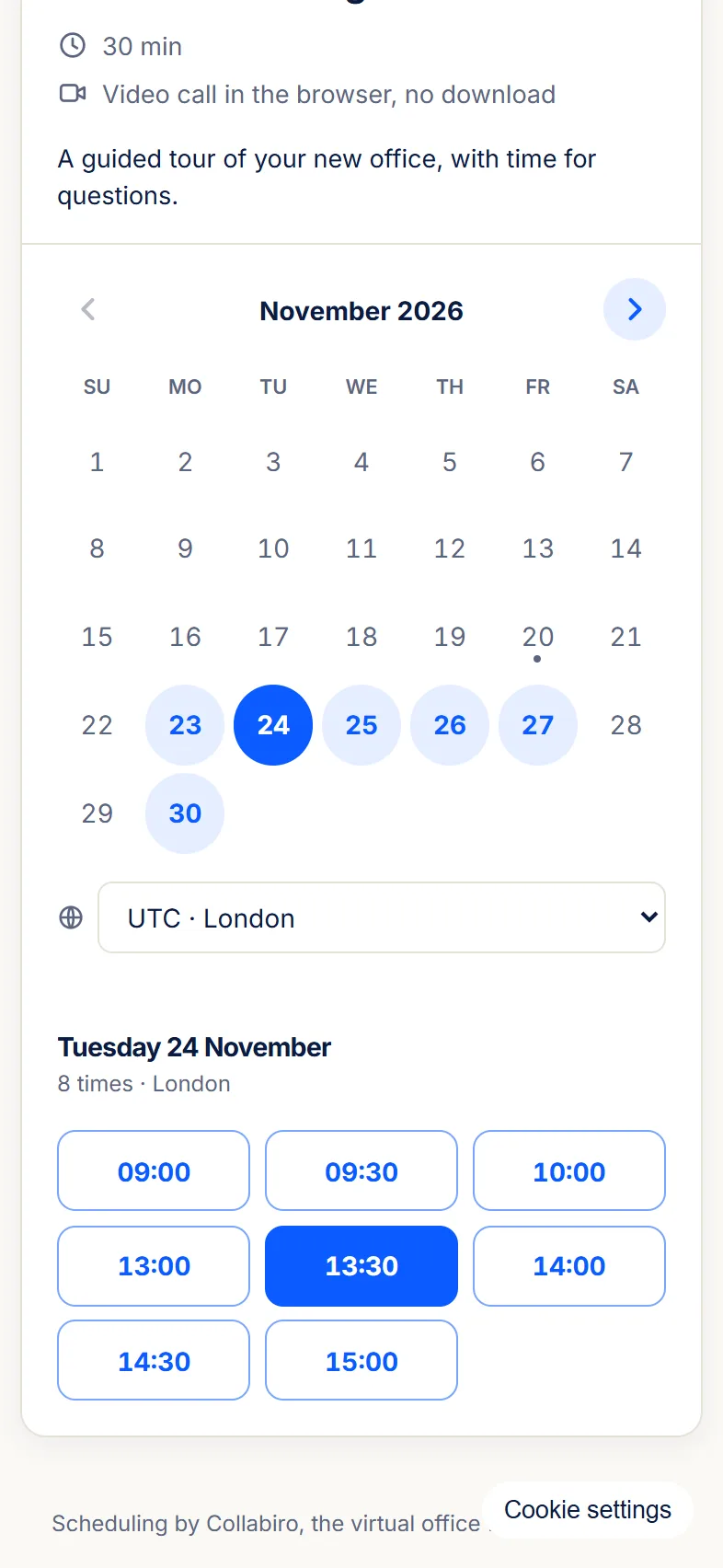
Guests see days and times in the time zone they choose and book one. Times that clash with your calendar or blocked time are hidden.
Booking pages turn your Collabiro calendar into a scheduling link. Guests pick a time in their own time zone and the meeting lands on your calendar in the room you chose.
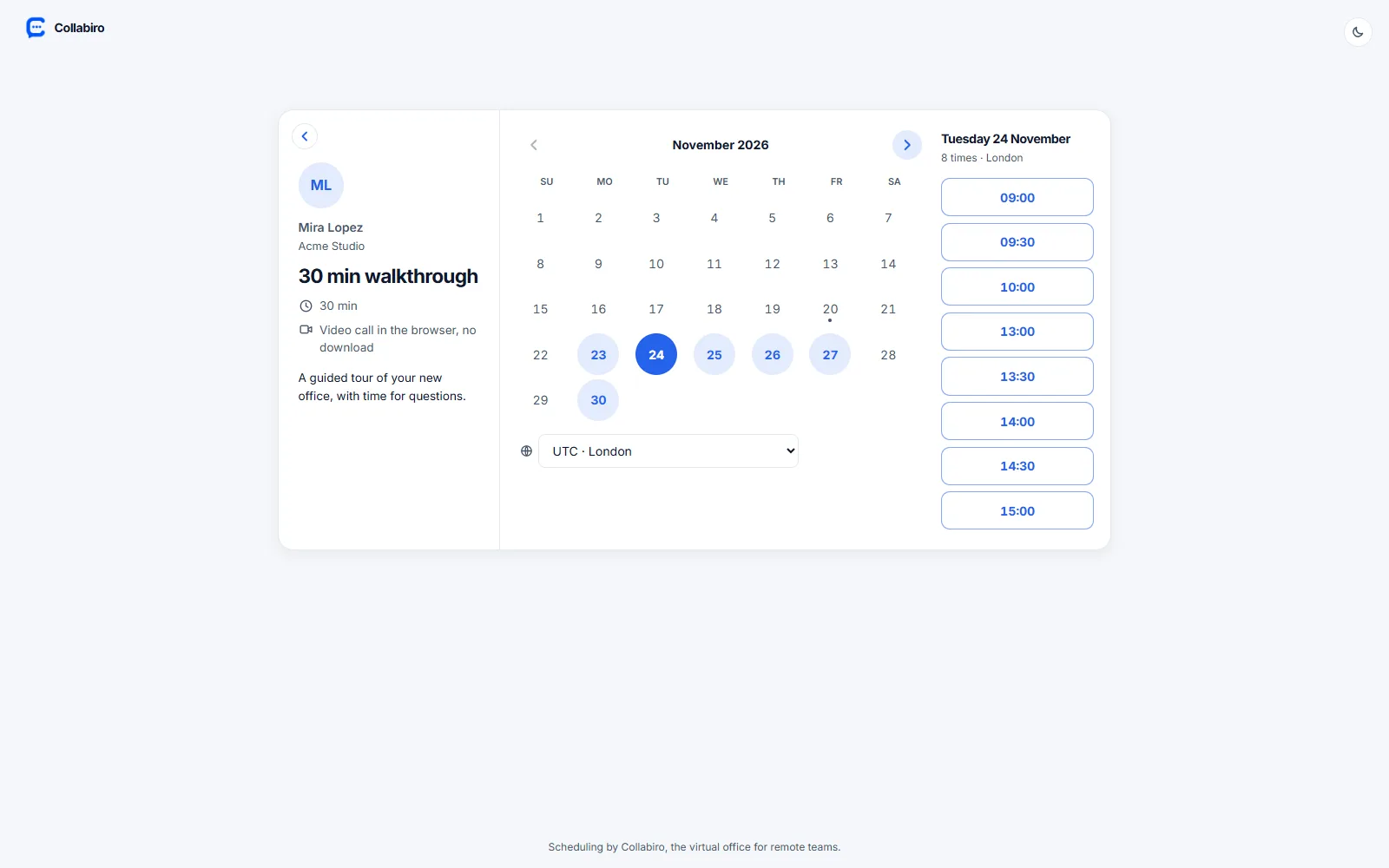
Create meeting types such as a 30 minute intro or a 15 minute check-in. Each one has its own length, room and limits, so only the right times are offered.
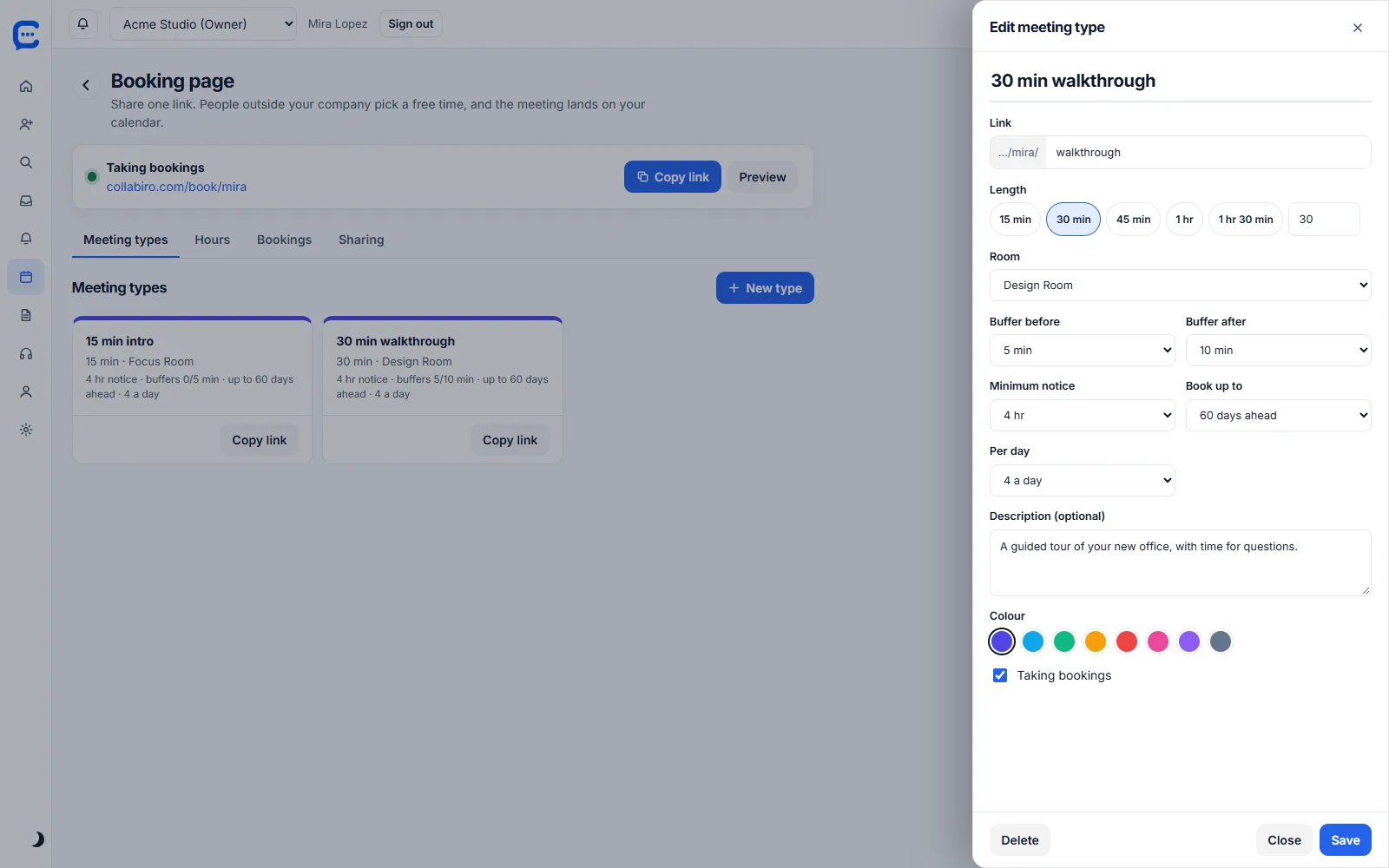
Guests see days and times in the time zone they choose and book one. Times that clash with your calendar or blocked time are hidden.
They get an email with an .ics invite, the meeting link and a link to reschedule or cancel.
Reminders go out 24 hours and 1 hour before the meeting.
The meeting is held in a Collabiro room. The guest link opens 10 minutes before the start and closes 30 minutes after the end.
Guests can change or cancel from the link in their email, up to 5 reschedules per booking.
Two guests cannot take the same time. Pages are rate limited, and each guest is limited to 3 upcoming bookings per host.
The guest page is built for phones, since that is where most people open a link.
Mark time as busy. It hides booking slots and shows as busy to teammates. Only you see the label. Starter and up.
A read-only page and an .ics feed of your busy times, with titles optional. Turn it off and on to make a new link. Starter and up.
Show a second time zone beside the hours on the week and day views.
Open Calendar, then Booking. Choose your weekly hours and create a meeting type.
Copy your page, collabiro.com/book/your-name, into an email signature, a message or a website.
Guests book. The meeting appears on your calendar and everyone joins the room from the invite.
| Free $0 | Starter $3 | Team $5 | Business $10 | |
|---|---|---|---|---|
| Calendar scheduling and .ics import | – | ✓ | ✓ | ✓ |
| Blocked time and shared calendar link | – | ✓ | ✓ | ✓ |
| Booking pages with meeting types | – | – | ✓ | ✓ |
| Guest links for any meeting | – | – | ✓ | ✓ |
| Collabiro booking pages | Calendly and similar tools | |
|---|---|---|
| Public booking link with meeting types | ✓ | ✓ |
| Guest time zones, reminders, reschedule and cancel | ✓ | ✓ |
| Meeting happens in a room, with chat, screen share and Replay | ✓ | Needs a separate meeting tool |
| Two-way sync with Google or Outlook calendars | Not available | Available |
| Round-robin team scheduling, payments, routing forms | Not available | Available on higher plans |
| One price with the rest of your office | Team plan, $5 per seat | Priced per seat on its own |
Competitor plans change often. Check calendly.com/pricing for its current features and prices.
Booking pages come with the Team plan.