Scheduling with rooms
Title, time, length, room, attendees and an agenda or notes. Create it from the calendar.
Schedule a meeting, pick a room and invite your team. When it is time, everyone joins in one click from the calendar, on the web, in the Windows app or on a phone.
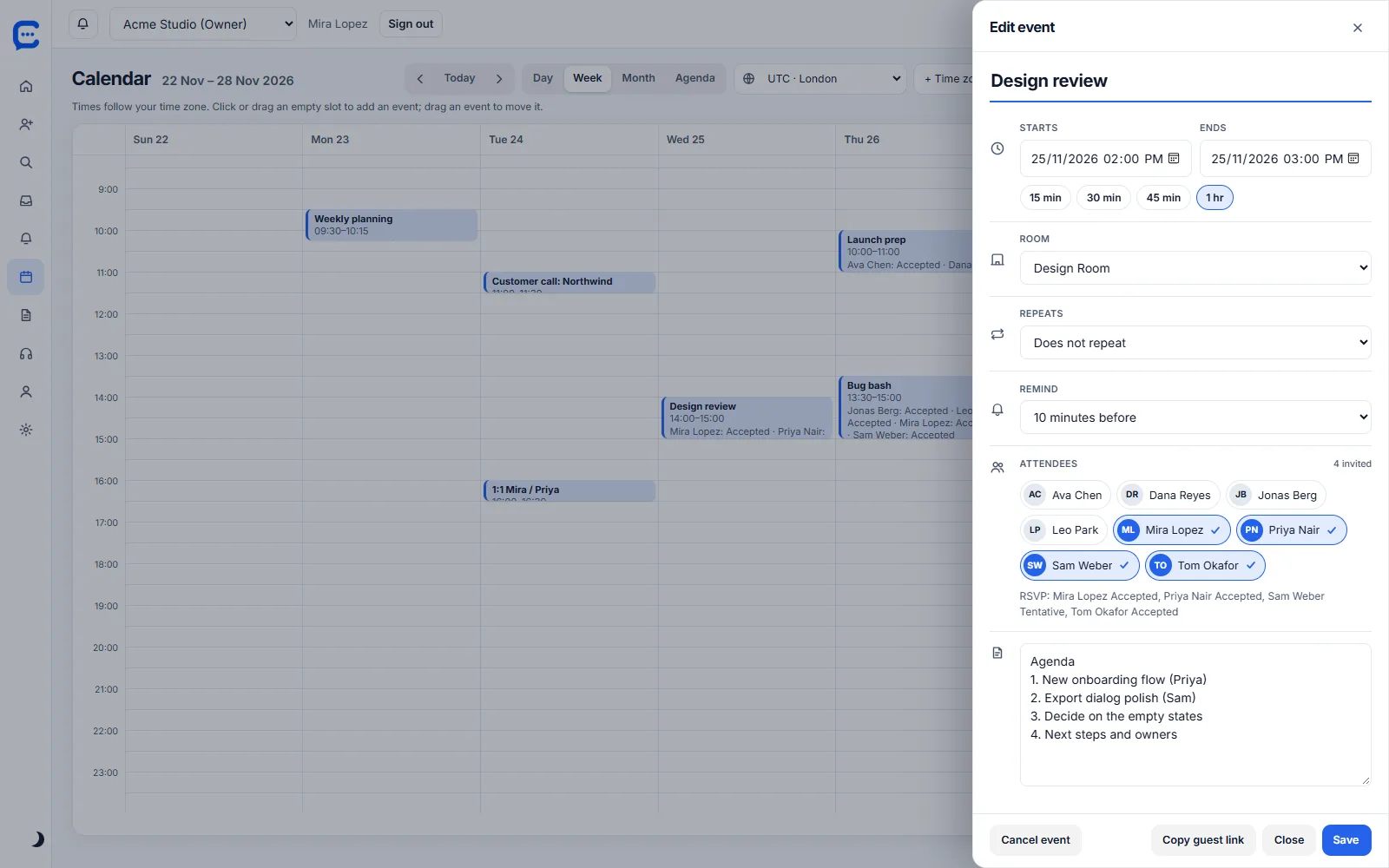
The calendar lives inside Collabiro, so a meeting is a room, not a link to find. Pick the room, add the people and write the agenda in the same place.
Title, time, length, room, attendees and an agenda or notes. Create it from the calendar.
Repeat daily, weekly or monthly, until a date or for a number of times. Remind people 10 minutes or 1 day ahead. Edit one occurrence or the whole series.
Invite teammates from a people picker. Attendees reply to the invitation so you know who is coming.
A reminder and an upcoming-meetings bar take you straight into the room, on web, desktop and phone.
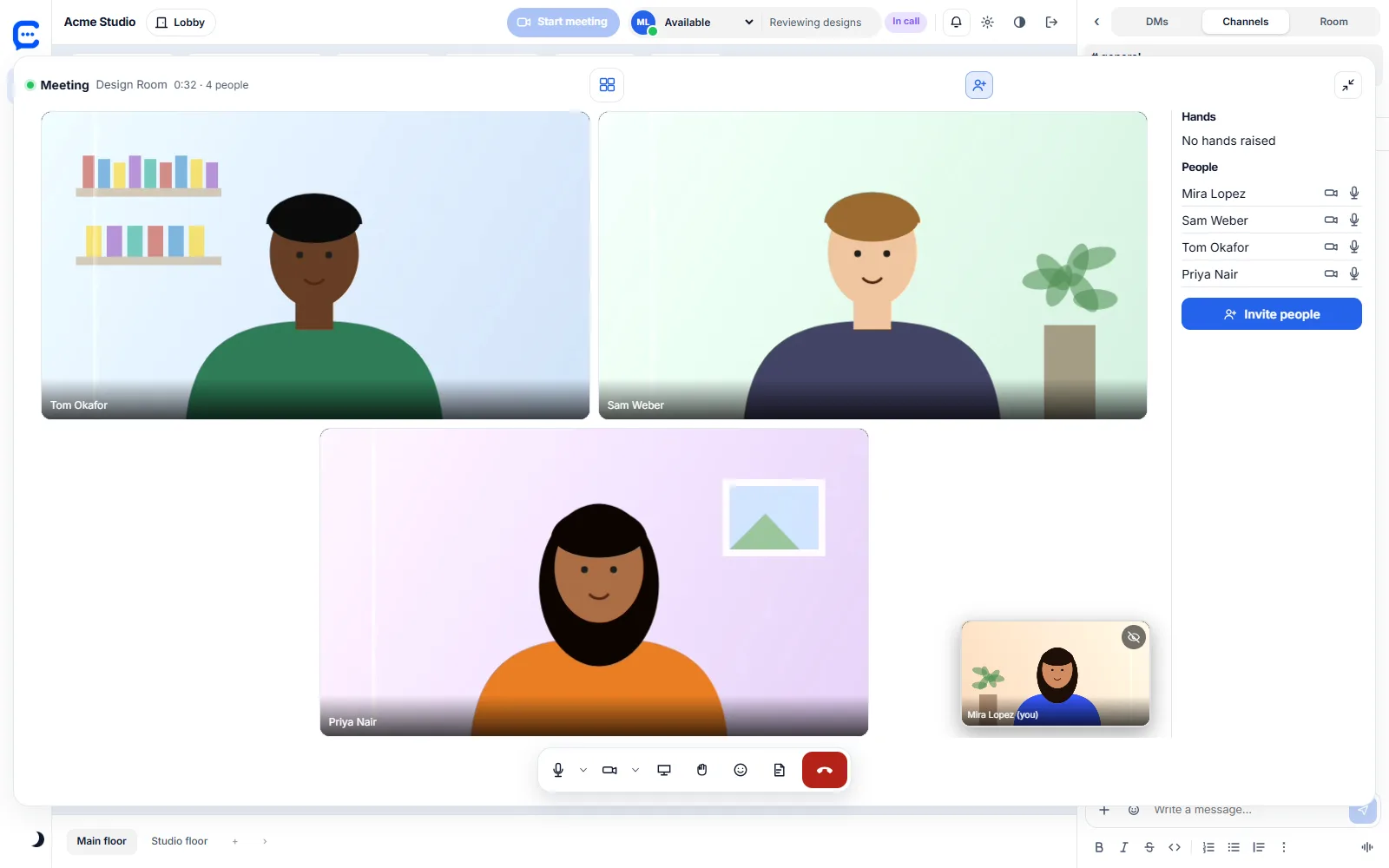
Camera, mic and screen share tiles with the active speaker highlighted. Calls hold 10, 25, 50 or 150 people depending on the plan.
Invite someone outside the company with a link. Guests enter a name, get a Guest badge and can only reach that one room. Admins can turn guest links off.
Open the calendar, choose a time, pick the room and add attendees, repeats and an agenda.
A reminder arrives before the start. Click Join and you are in the room with your camera and mic settings ready.
Share your screen, then keep the agenda and notes with the event. Record a Collabiro Replay when a follow-up is easier to show than to type.
| Free $0 | Starter $3 | Team $5 | Business $10 | |
|---|---|---|---|---|
| Drop-in rooms with video and screen share | ✓ | ✓ | ✓ | ✓ |
| People in one call | 10 | 25 | 50 | 150 |
| Calendar scheduling, repeats, reminders, .ics import | – | ✓ | ✓ | ✓ |
| Shared meeting notes on the event | – | ✓ | ✓ | ✓ |
| Guest links for clients | – | – | ✓ | ✓ |
| AI meeting notes, transcripts, captions | – | – | – | Soon |
| Collabiro | Zoom, Google Meet, Teams | |
|---|---|---|
| Schedule and join from one place | Calendar and rooms in the same app | Calendar lives in another tool, join by link |
| Quick unplanned talks | Walk into a room or knock on a door | Start or share a new link |
| Chat, rooms and recordings together | Included in the one price per seat | Chat and recording are often separate products or plans |
| Webinars, phone dial-in, breakout rooms | Not available | Available in most of these tools |
| Recording a meeting to the cloud | Not available. Record a Collabiro Replay instead | Common on paid plans |
Competitor features change often. Check each vendor for its current plans. For prices, see what Collabiro replaces.
Start free with up to 5 people. No card needed.